Write smarter
LaTeX research
on Overleaf
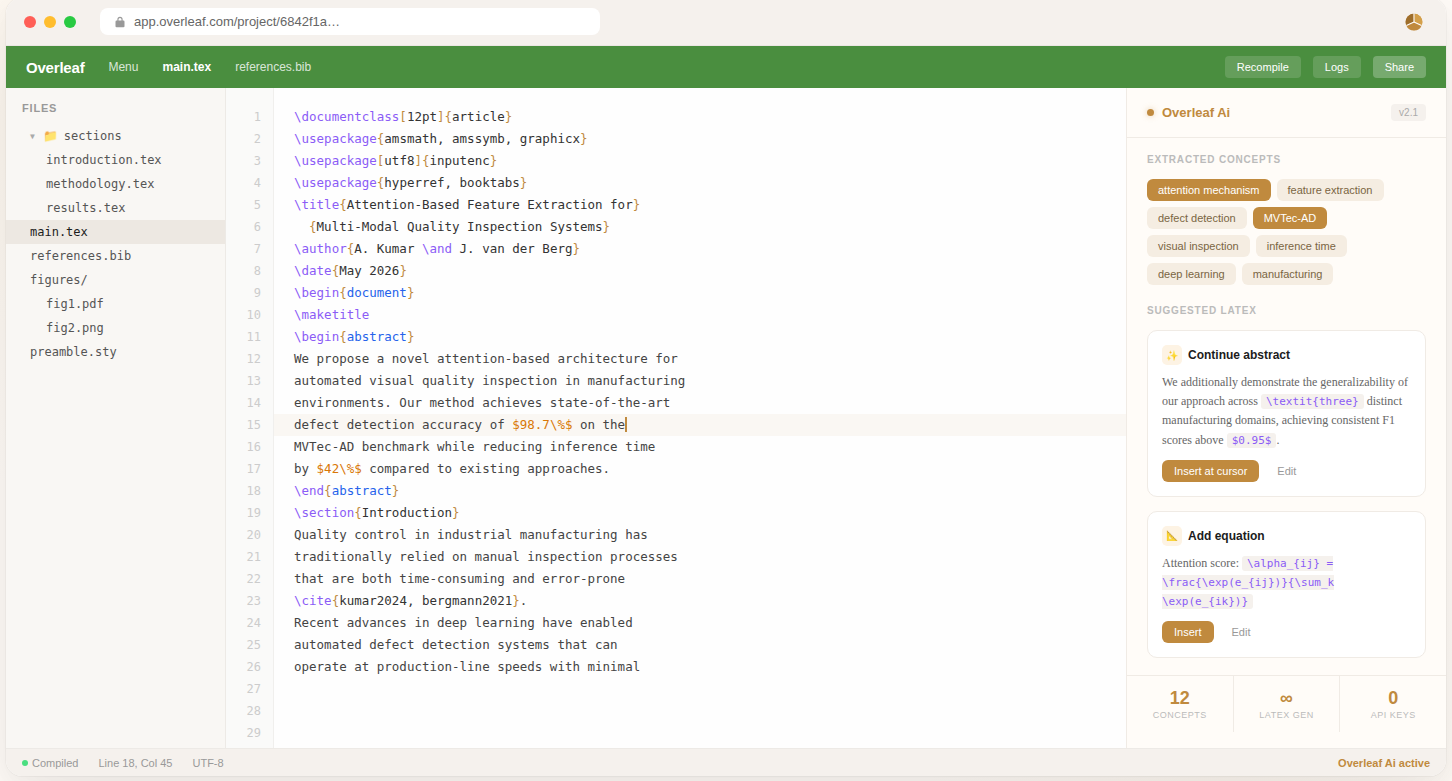
An AI side panel that lives inside Overleaf — extracting concepts, generating LaTeX at your cursor, learning your writing style, and converting formula images to code.
Everything you need,
right inside Overleaf
Six AI-powered tools that work together seamlessly — no tab switching, no copy-pasting.
Concept Extraction
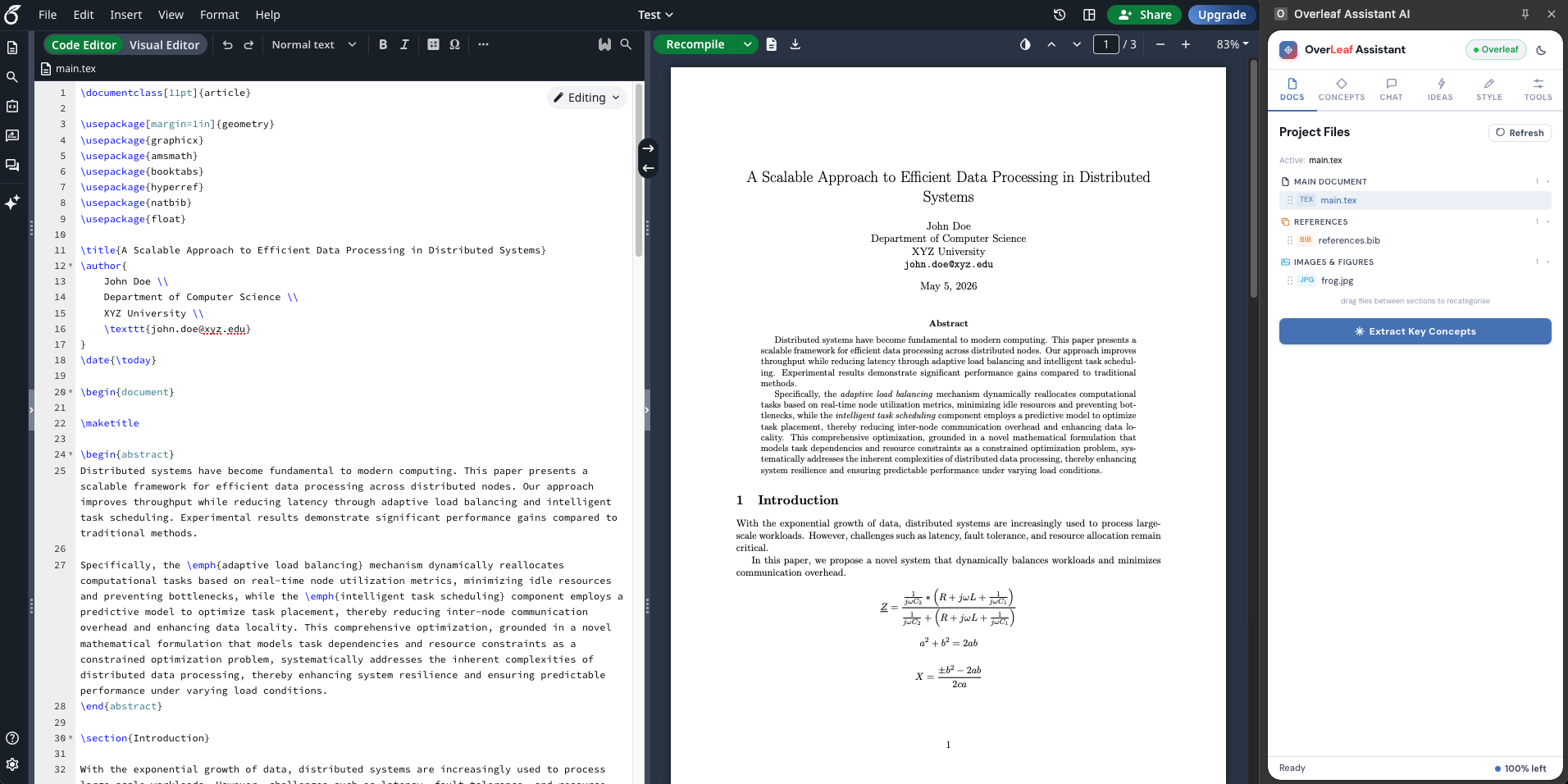
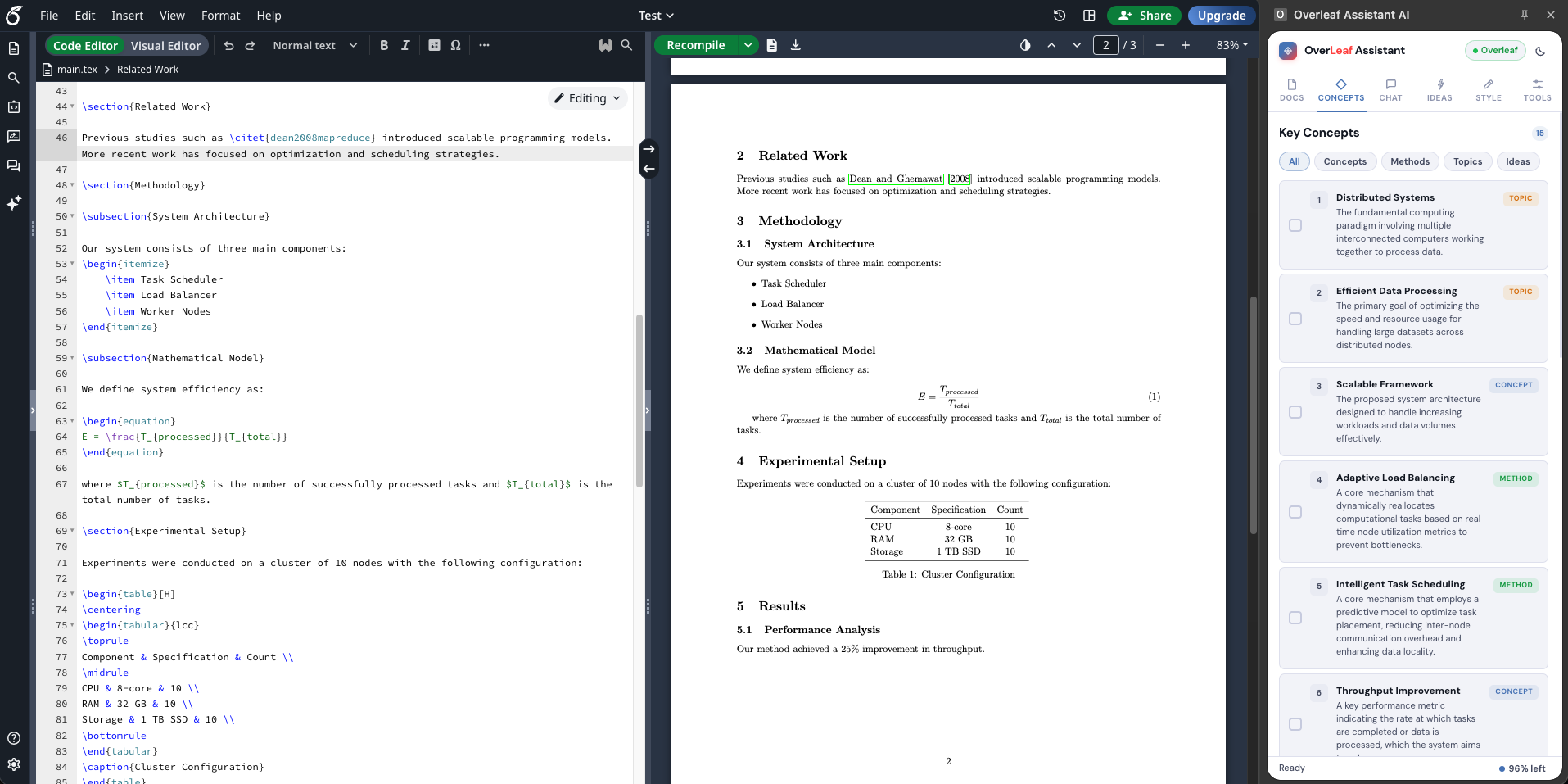
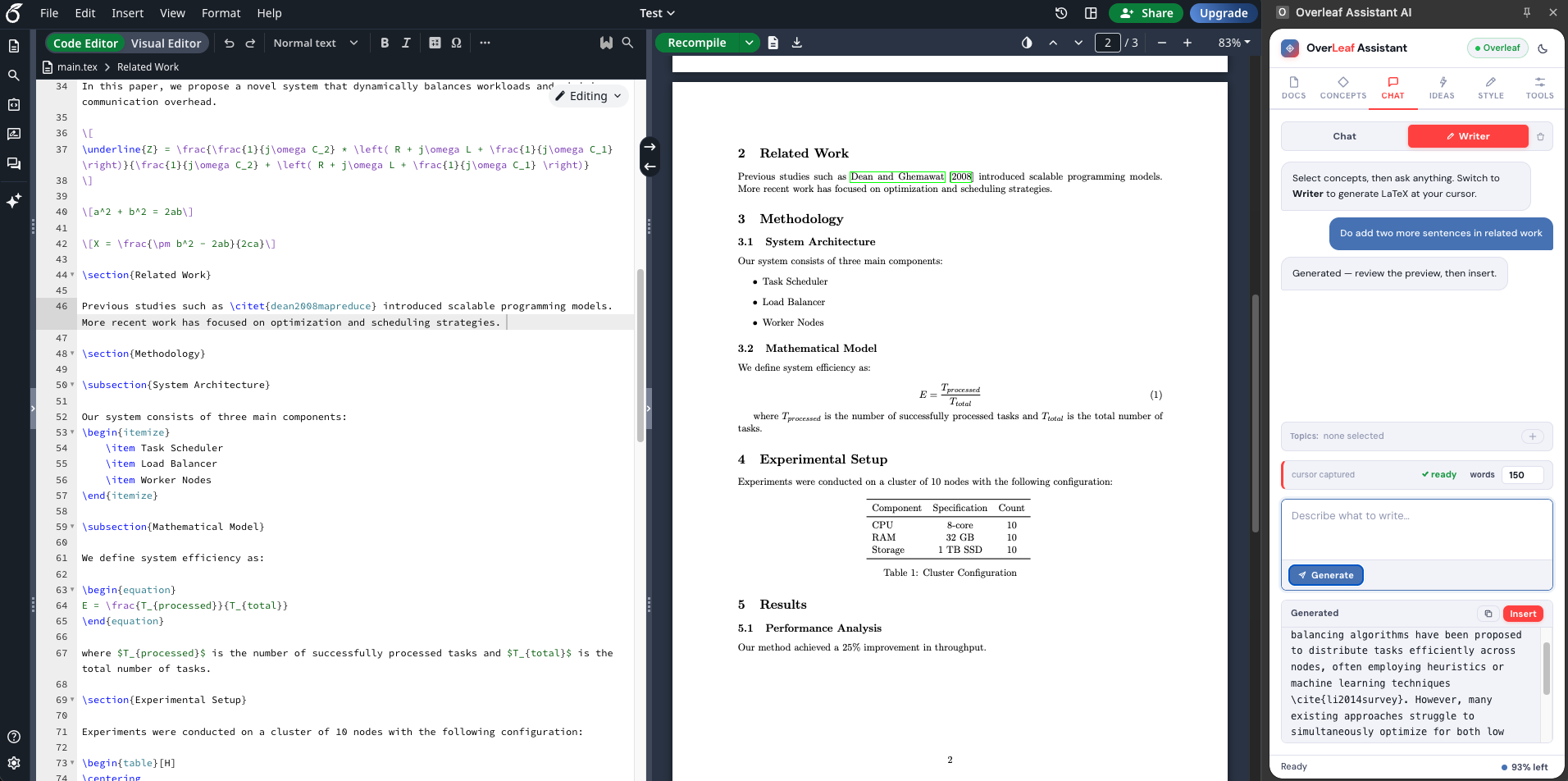
Scans your entire LaTeX document and surfaces 10–15 key concepts, methods, and ideas — each with a one-sentence description. Filter by type, copy all, or re-extract on demand.
Multi-Select Chat
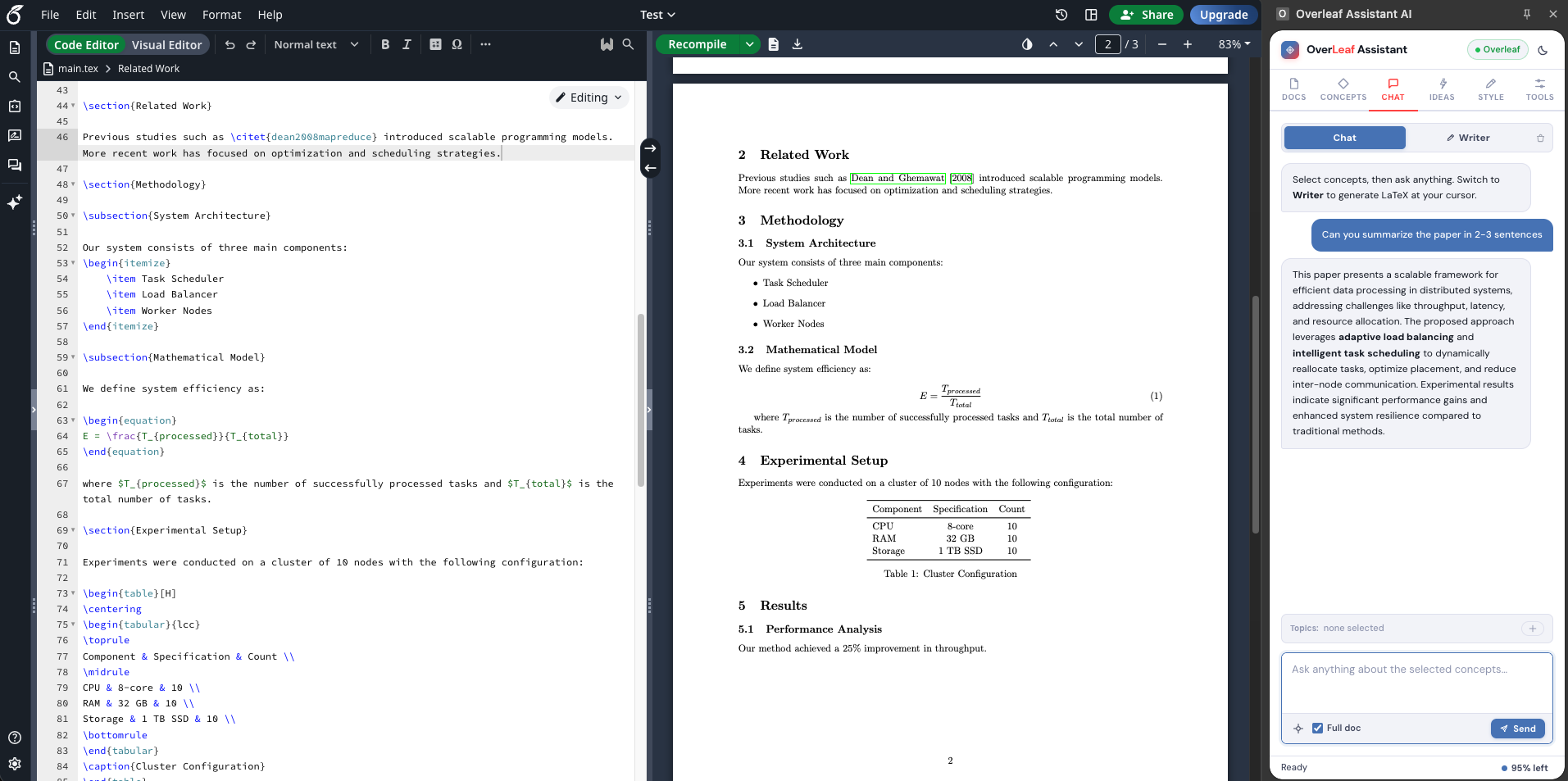
Pick concepts from your document and have a multi-turn conversation with an AI that knows exactly what you're writing about. Full document context, cursor-aware, with conversation history.
Writer Mode
Generate polished LaTeX text directly at your cursor. Set a word count (30–1000), choose which concepts to incorporate, and get clean output that fits seamlessly into your document.
Idea Mode
Dump raw ideas and section outlines, then generate a full document skeleton or add new sections into existing LaTeX — without duplicating content already there.
Style Learning
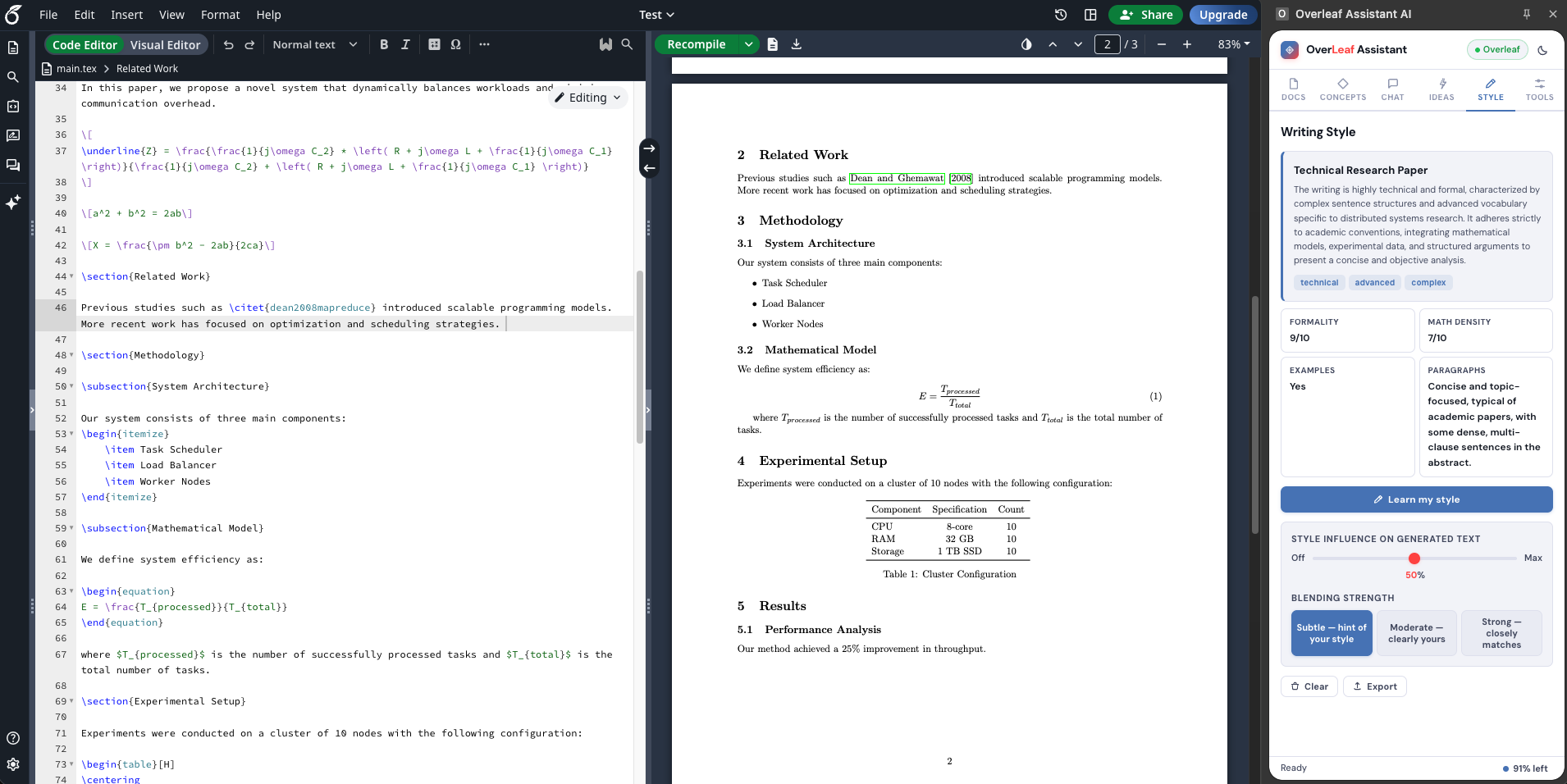
Learns your tone, formality, sentence complexity, and mathematical density from your existing writing — then applies it to everything the AI generates, with a slider to control how strongly.
Image to Formula
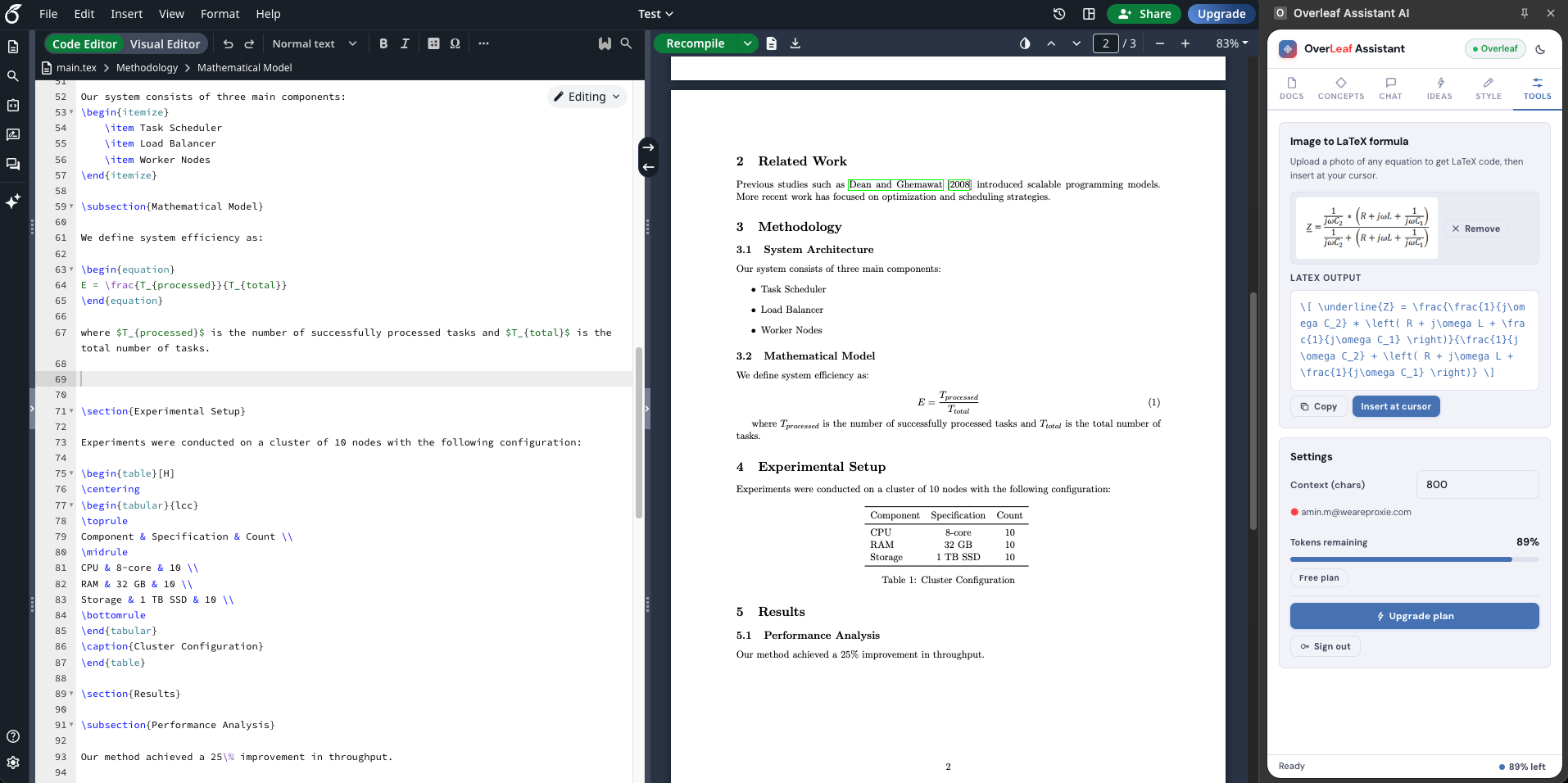
Drag and drop any screenshot of a mathematical equation and get back clean, ready-to-use LaTeX code — insertable at your cursor in one click. Supports PNG, JPG, and WEBP.
Up and running
in under a minute
No configuration. No API keys. Just install and start writing.
Install the extension
Add Overleaf AI to Chrome in one click. Sign in with Google — no API keys, no manual configuration.
Open any Overleaf project
Navigate to overleaf.com and open any project. Click the extension icon in Chrome toolbar to open the AI side panel.
Write with AI assistance
Extract concepts, chat about your paper, generate LaTeX at cursor, or convert a formula image — all without leaving Overleaf.
Built for the way
researchers actually work
AI that writes in your voice, not its own
Paste a sample of your own writing and the assistant builds a detailed style profile — capturing tone, formality, sentence complexity, mathematical density, and even patterns to replicate or avoid. A slider lets you dial in exactly how strongly your style is applied.
- Tone & formality detection on a 1–10 scale
- Vocabulary level from basic to expert
- Style influence slider: 0–100%
- Three blend modes: Subtle, Moderate, Strong
Photograph a formula, get LaTeX in seconds
Drag and drop any screenshot of a mathematical equation — from a textbook, a paper PDF, or a whiteboard photo. The AI returns precise, ready-to-use LaTeX that you can insert directly at your cursor position with one click.
- Drag & drop or file browser upload
- Supports PNG, JPG, and WEBP formats
- Preview the image before conversion
- One-click insert at cursor in Overleaf

Stop fighting LaTeX.
Start writing.
Overleaf AI gives every researcher an intelligent writing partner that understands their document, their style, and their goals.